
Getting started with Claude - from sign-up to actually useful
A beginner guide to Claude, updated for November 2026: where to use it, which plan suits whom, how to pick a model, and the prompting basics that make the biggest difference.
By Nattapon YongpaiboonCo-founder, Claude Thailand Community
What is Claude?
Claude is an AI assistant from Anthropic that is strong at writing, analysis, working with long documents, and coding.
Today Claude does a lot more than chat. For example, it can:
- Create documents, slides, and designs from a request in chat
- Connect to the tools you already use, such as Google Drive, Notion, or Slack, through connectors (more in our MCP article)
- Write code across a whole project with Claude Code (more in Claude Code 101)
Where to use it
- Web at claude.ai
- Desktop app for Mac and Windows, from claude.com/download
- Mobile apps for iOS and Android
Sign up once and use the same account everywhere.
Which plan should you pick?
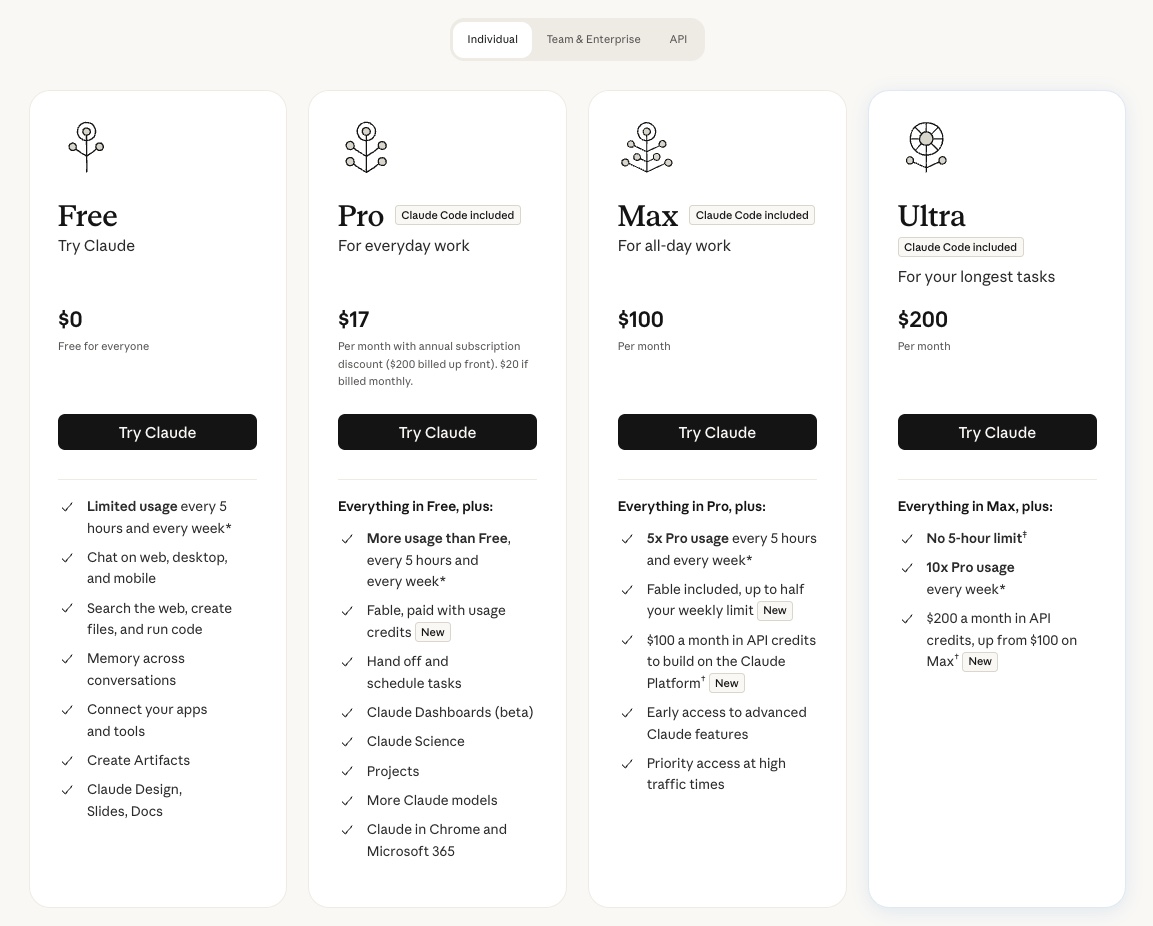
| Plan | Price per month | Best for |
|---|---|---|
| Free | $0 | Trying Claude. Chat on web, desktop, and mobile, but no Claude Code |
| Pro | $20 ($17 billed annually) | Everyday work. Includes Claude Code |
| Max | $100 | All-day work, with 5x Pro usage |
| Ultra | $200 | Your longest tasks: 10x Pro usage each week, and no 5-hour limit for verified accounts |
For organizations there are Team (2 to 150 people) and Enterprise plans. Prices are from the Claude pricing page as of November 2026 and can change. For the background on Max and Ultra, see the plan rename news.
Our advice: start on Free to see whether Claude fits your work. If you use it every day or want Claude Code, move to Pro, and upgrade when you keep hitting the usage limits.
Which model should you use?
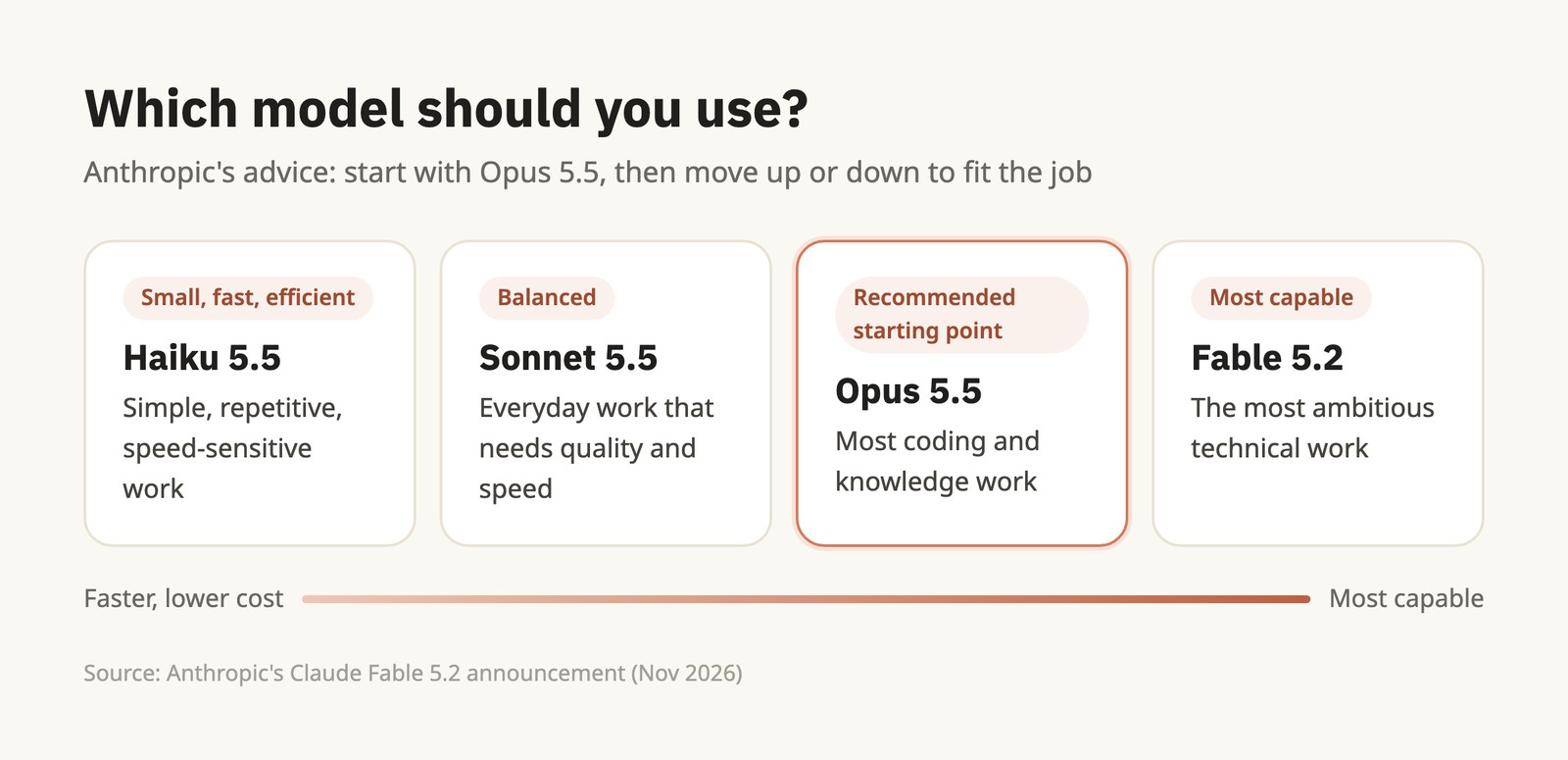
When it launched Claude Fable 5.2, Anthropic recommended starting with Opus 5.5 for most coding and knowledge work, then moving up to Fable for the most ambitious work, or down to Sonnet 5.5 and Haiku 5.5 when you want speed and to save usage.
Which models you can use, and how much, depends on your plan. For example, Pro can use Fable for up to half of its weekly limit.
Prompting basics
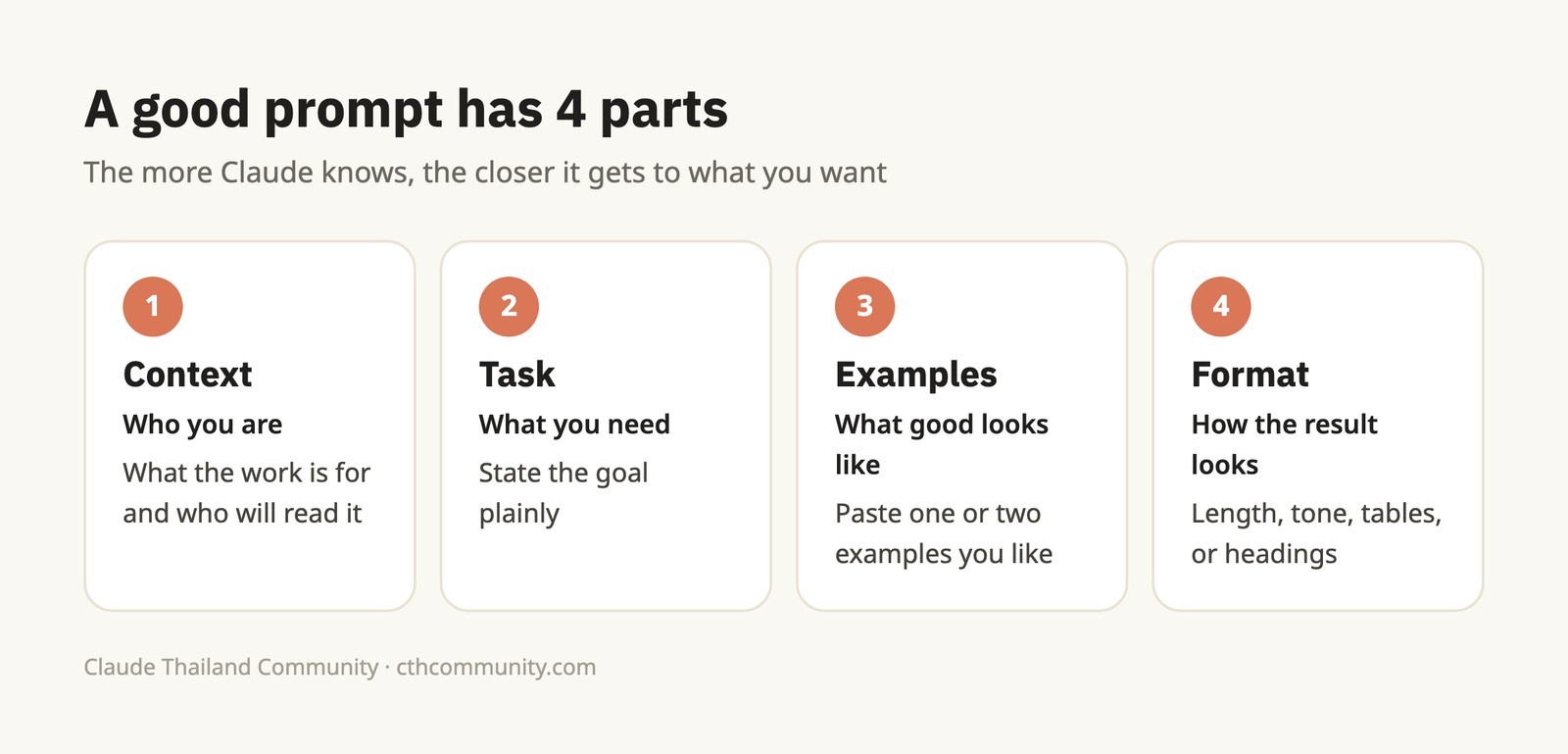
Anthropic’s prompting guide starts with a few simple principles:
- Be clear and direct. Say what you want plainly, as you would to a capable colleague who is new to the task
- Add context. Say who you are, what the work is for, and who will read it. Claude picks the right details much more often
- Use examples. If you want a specific format, paste one or two examples you like
- Say what the output should look like, such as the length, tone, a table, or headings
- Break big jobs into steps. Do complex work one step at a time and check each step before moving on
If you mostly work in Thai, see our article on Thai prompts.
Have more questions? Ask us in the Facebook group anytime.
Get it by email
New articles, Claude updates and community event announcements. Sent occasionally, never often enough to annoy you.
The newsletter is written in Thai