
What is MCP? Connect Claude to the tools you use every day
Meet the Model Context Protocol, the open standard that lets Claude work with Notion, Google Drive, databases, and thousands of other tools. Updated for November 2026, with how to add connectors in the Claude apps and in Claude Code.
By Nattapon YongpaiboonCo-founder, Claude Thailand Community
The old problem: AI cut off from your data
However capable Claude is, it can only help so much if it can’t reach your real data. You end up copying and pasting back and forth.
MCP fixes that
The Model Context Protocol (MCP) is an open standard created by Anthropic for connecting AI applications to external systems. The MCP website compares it to a USB-C port for AI applications: every tool plugs in the same way.
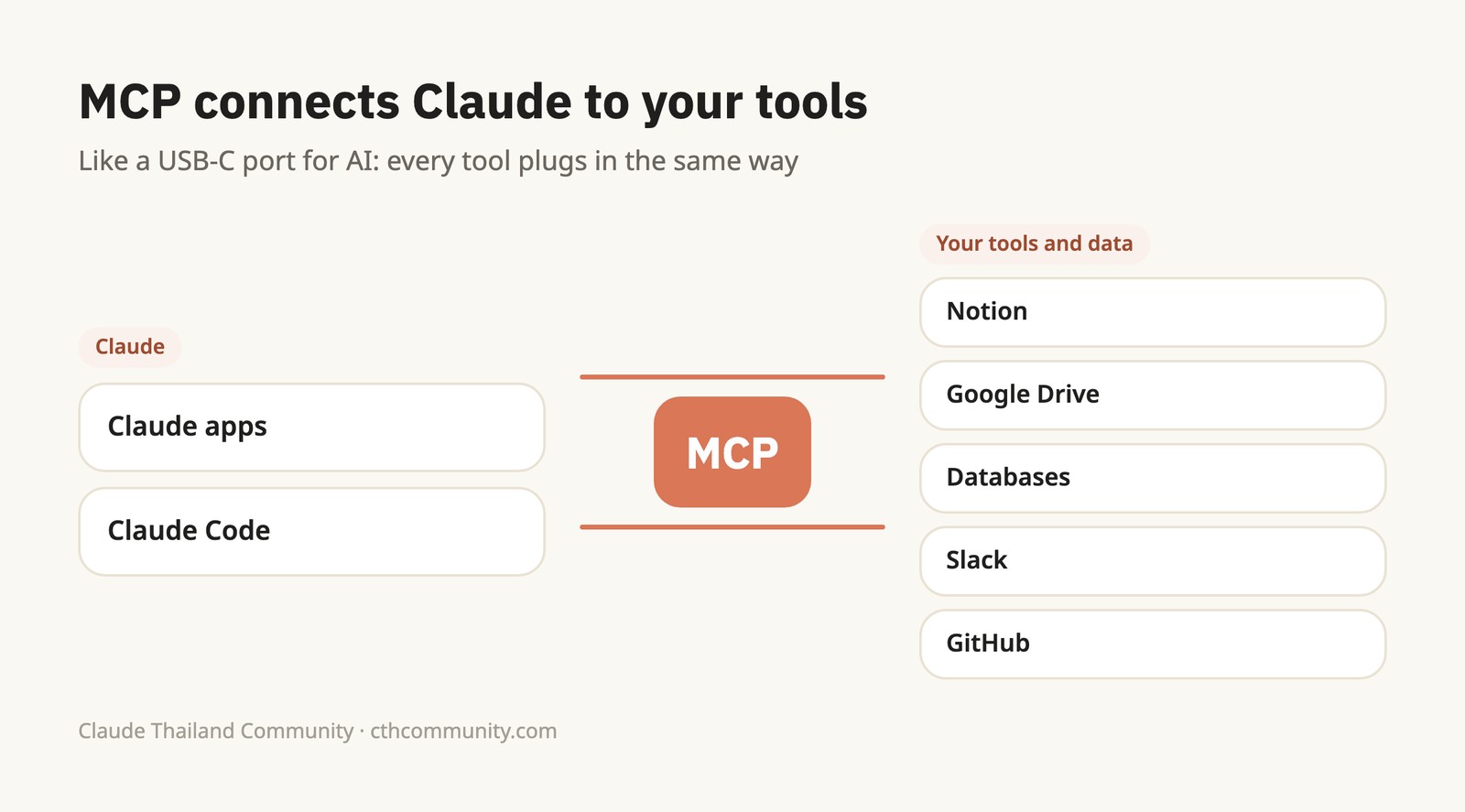
Once connected, Claude can work with things like:
- Notion and Google Drive: search and read your documents
- Databases: pull real data to analyze
- Slack: read and send messages
- GitHub: read issues and pull requests
In the Claude apps, a tool connected through MCP is called a connector.
Get started in the Claude apps
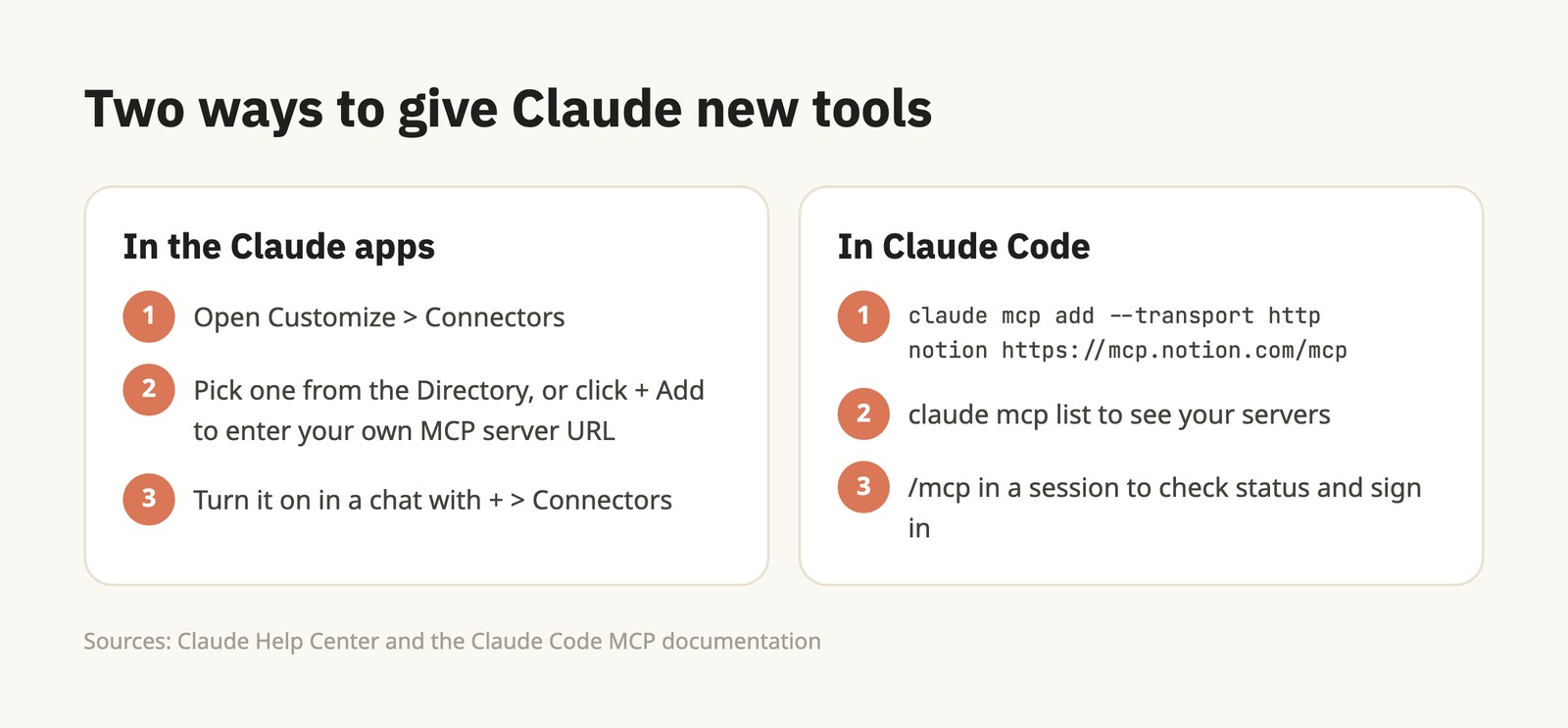 Connectors, pick one from the Directory or click + Add to enter your own MCP server URL, then turn it on in a chat with + > Connectors. In Claude Code, use claude mcp add, claude mcp list, and /mcp">
According to the Claude Help Center:
- Go to Customize > Connectors
- Click + Add > Add custom connector and enter the MCP server URL, or pick a ready-made connector. The full list is in the Anthropic Directory (claude.ai/directory)
- In a chat, click + at the lower left > Connectors to turn each one on or off
The Free plan can add one custom connector. On Team and Enterprise, an owner adds it under Organization settings > Connectors first, then members click Connect.
Get started in Claude Code
According to the Claude Code MCP documentation, add a remote server with:
claude mcp add --transport http notion https://mcp.notion.com/mcpFor a server that runs on your machine, put the command that starts it after --:
claude mcp add --transport stdio airtable -- npx -y airtable-mcp-server- List your servers:
claude mcp list - Check status and sign in: type
/mcpin a session - Scope: by default a server is only for that project on your machine. Add
--scope projectto store it in.mcp.jsonand share it with your team, or--scope userto use it in every project
What’s new lately
- Interactive connectors open the full version of apps like Adobe, Atlassian, and Box next to your conversation in Claude. See the Whiteboards, Sheets, and Claude Data news
- Claude Marketplace lists more than 9,000 connectors and plugins, including ones the community built
A word of caution
A connector can reach your data with the access you give it. Connect only servers you trust, and turn them on only in the chats that need them.
Members of our group have shared several MCP servers built by Thai developers. Search the group for “MCP” to find them.
Get it by email
New articles, Claude updates and community event announcements. Sent occasionally, never often enough to annoy you.
The newsletter is written in Thai