
Claude Code 101 - let AI write a whole project for you
Meet Claude Code, an agentic coding tool that does far more than autocomplete. Updated for November 2026: install, set up CLAUDE.md, pick a mode, and put it to real use.
By Nattapon YongpaiboonCo-founder, Claude Thailand Community
How is Claude Code different from autocomplete?
Autocomplete tools fill in code a line at a time. Claude Code is an agent. It reads the codebase, plans, edits several files, runs tests, and keeps going until the job is done.
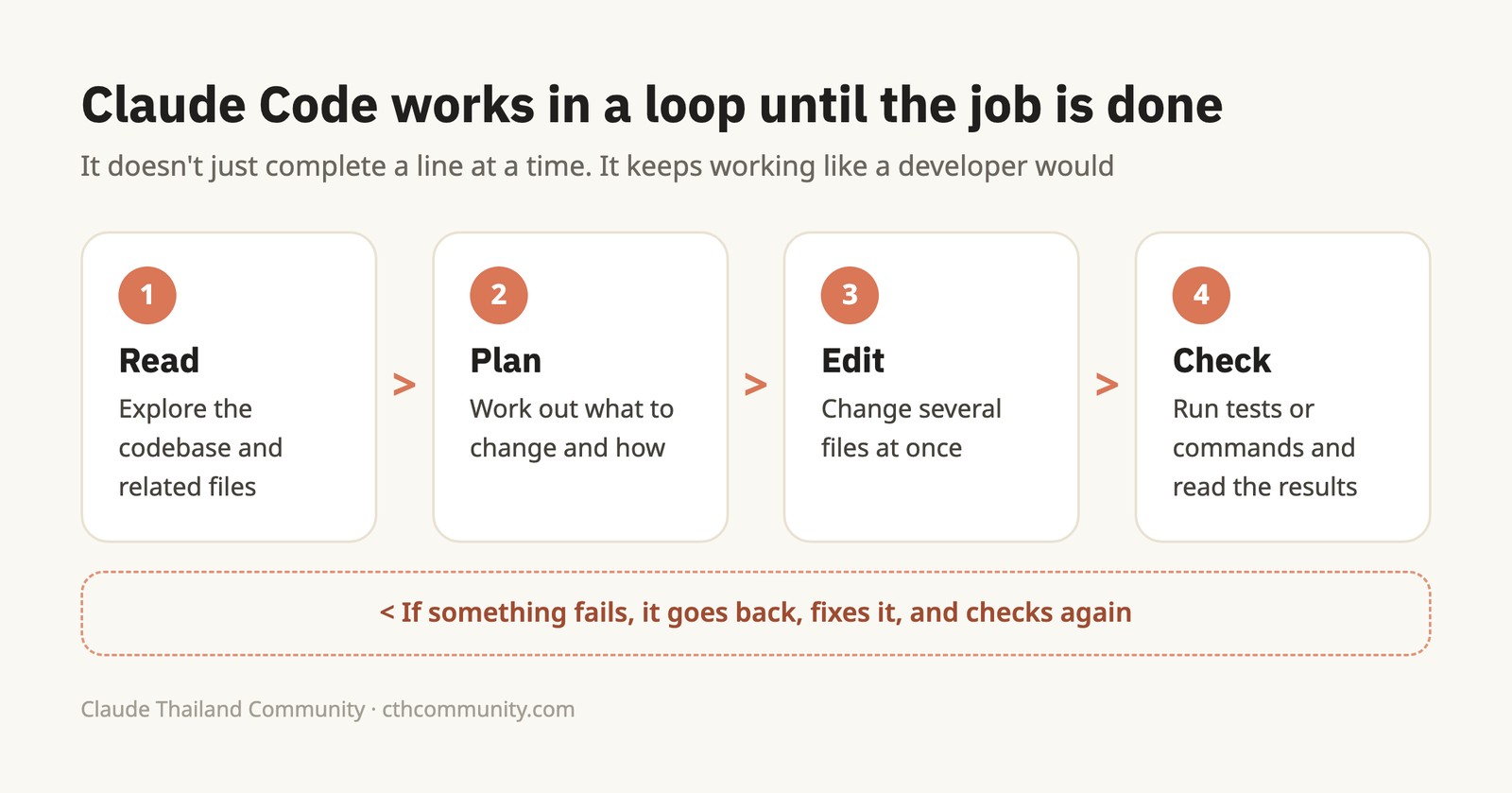
Where it runs, and what you need
Claude Code runs in the terminal, VS Code, JetBrains, the desktop app, and on the web (claude.ai/code).
You need one of:
- A paid plan: Pro, Max, Ultra, Team, or Enterprise (the Free plan doesn’t include Claude Code)
- A Claude Console account, paying for what you use
- A supported cloud provider, such as Amazon Bedrock, Google Cloud, or Microsoft Foundry
Install
The Claude Code documentation recommends the native installer, which keeps itself up to date.
macOS, Linux, and WSL:
curl -fsSL https://claude.ai/install.sh | bashWindows (PowerShell):
irm https://claude.ai/install.ps1 | iexYou can also use Homebrew (brew install --cask claude-code) or WinGet (winget install Anthropic.ClaudeCode), but neither updates automatically. Installing with npm is now listed under the advanced options.
Check the install with claude --version, then start:
cd my-project
claude
The first time, you sign in through your browser. Then ask “what does this project do?” so Claude reads the code before you start.
Create a CLAUDE.md so Claude knows your project
CLAUDE.md is a file of instructions Claude reads at the start of every session, such as build commands, how to run tests, and your project’s rules.
- Generate one: type
/init, and Claude reads the codebase and drafts the file - At the project root (
./CLAUDE.md), shared with your team through git - For all your projects (
~/.claude/CLAUDE.md) - Keep it short: the docs suggest staying under about 200 lines per file
Pick a mode with Shift+Tab
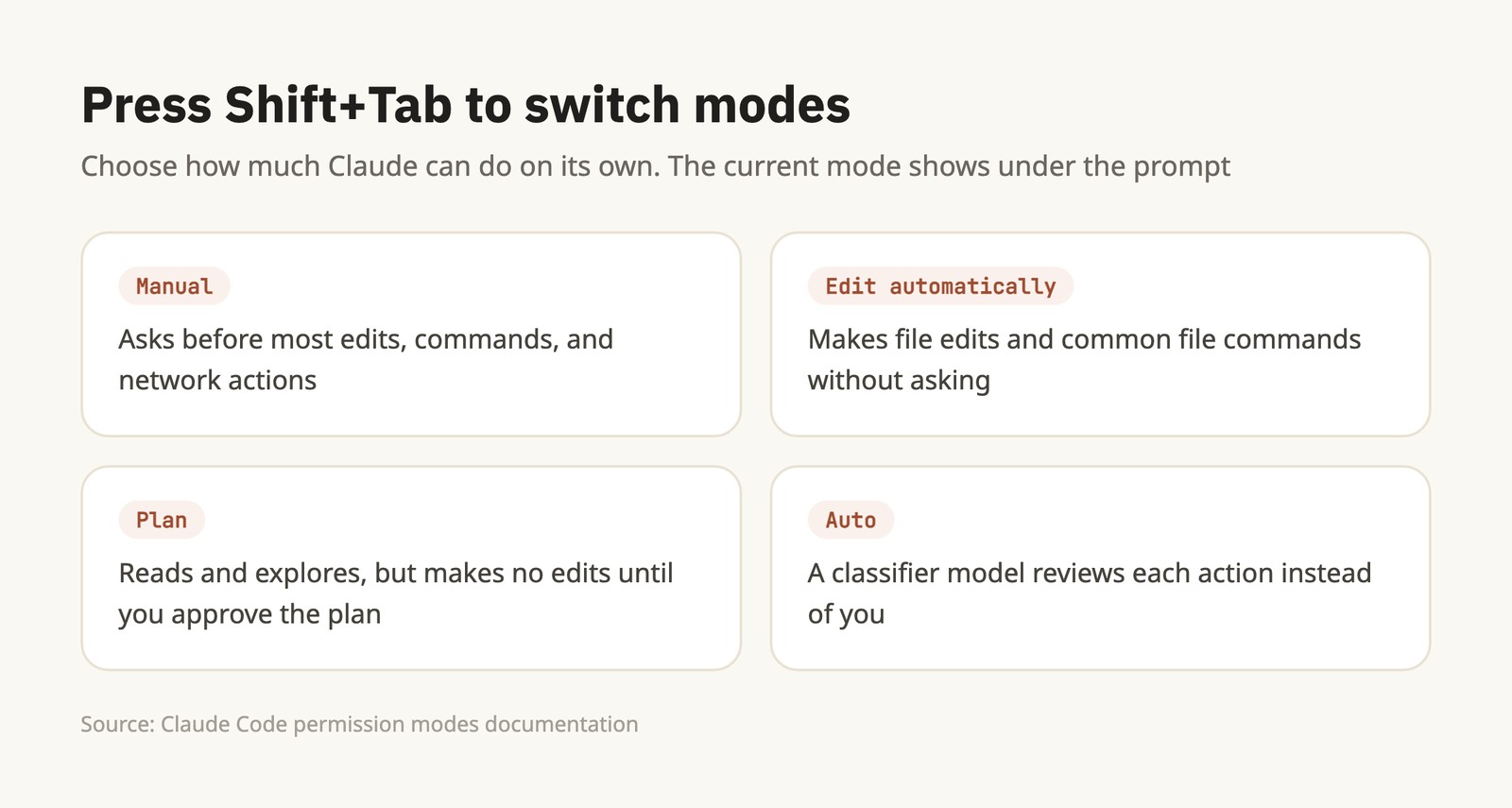
Press Shift+Tab to change how much Claude can do on its own.
- Plan suits big changes. Claude reads the code and proposes a plan, and changes nothing until you approve it. You can also start a prompt with
/plan - Auto is the default mode in the terminal and VS Code since Claude Code v2.1.283. A classifier model reviews each action instead of asking you every time
- Manual asks before almost every step. Good when you’re new and want to see everything Claude does
Tips worth knowing
- Give it a goal, not steps. “I want Google login” works better than instructions file by file
- Plan before big changes. Use Plan and read the plan before approving. Changing direction now is easier than fixing code later
- Let Claude check its own work. Tell it how to know the job is done, such as “make all the tests pass”
- Update CLAUDE.md when you repeat yourself, so you don’t have to say it again every session
New things worth trying
- Claude Ship: run
/shipto have Claude open a pull request, review it, and work on feedback - Mods: change how Claude Code looks and behaves, including themes in the desktop app
- Cloud sessions: run several tasks at once, even with your laptop closed
Real examples from members
Members of our group have used Claude Code to build SaaS websites, LINE Mini Apps, and internal automation. See real examples on our Use Cases page.
Get it by email
New articles, Claude updates and community event announcements. Sent occasionally, never often enough to annoy you.
The newsletter is written in Thai